
Install Protocol(首次安装)
首次让 Archon 进入项目时跑的分步协议。代理跑或 CLI 跑结果一致;代理路径是对话式,CLI 路径是脚本式。
代理在
https://aaep.site/install.md拉取可执行指令文件。本页是代理将要做的事的人类可读视图 —— 同样的 10 步,附带注解。
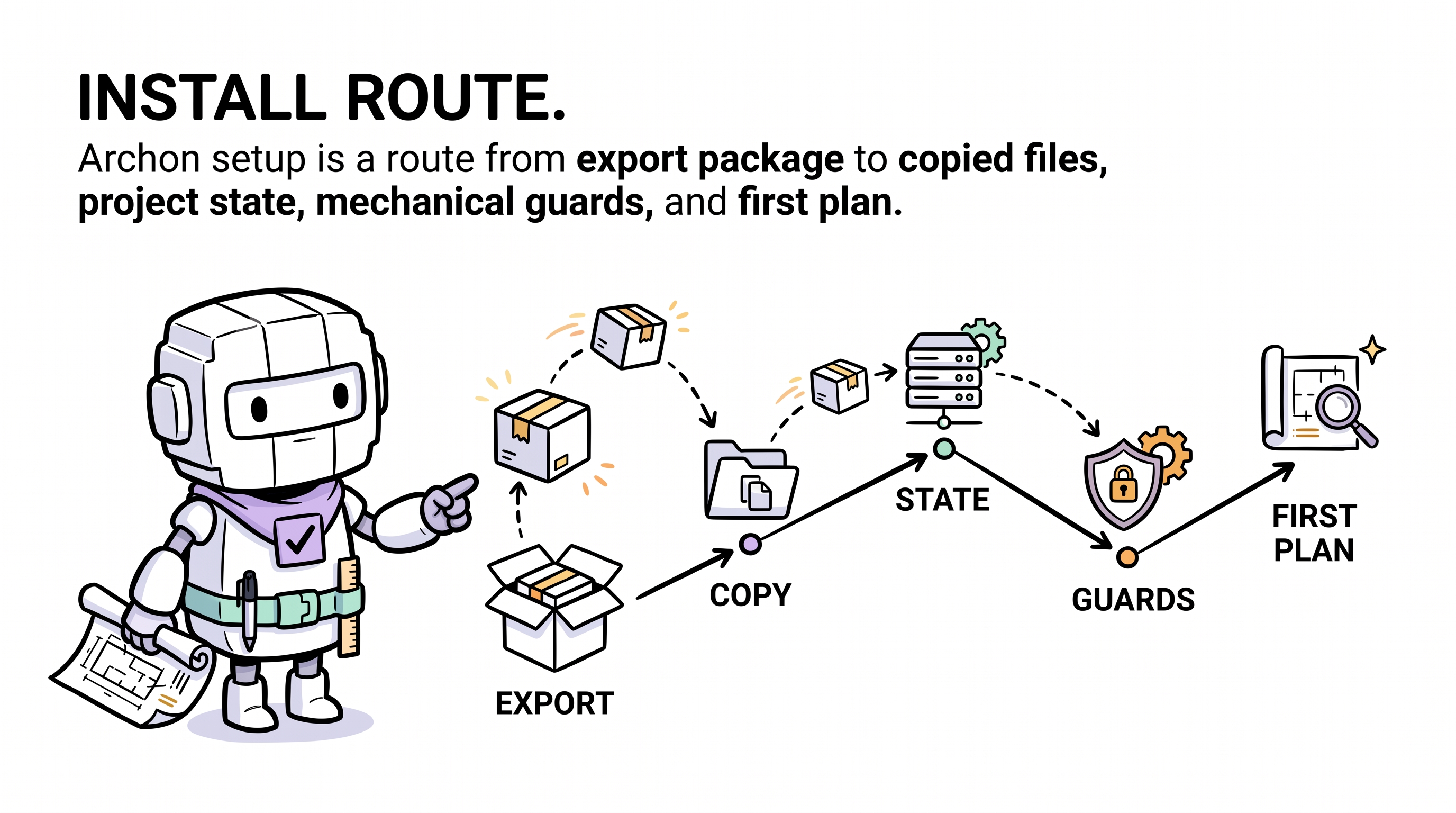
何时适用此协议
用户说类似的话(首次调用时必须给 URL,本地代理才知道去哪拉):
- "read aaep.site/skill.md and install archon"
- "read aaep.site/init.md and install archon"
- "fetch aaep.site/skill.md, then install archon"
Archon 装好之后,wake 规则就加载了,更短的句子("install archon"、"set up archon"、"init archon")也能正确路由 —— 但首次调用时 URL 引导是规范形式。
…且 .archon/soul.md 尚未存在(或设了 --force)。
如果 .archon/ 已存在,代理应改路由到 Update 或 Sync。
预检
代理开干前:
- 项目必须是 git 仓库且工作树干净。
- 代理必须有 web-fetch + 文件写入工具。任何现代编码代理(Cursor / Claude Code / Codex CLI / Continue / Aider / Windsurf / 其他)都符合。
- 代理会检测你的 IDE 平台与绑定目录(按
skill.md§3)。检测失败就问你。 - 可选运行时,仅在选了对应模块时才需要:
- Node.js ≥ 18 ——
cli和dashboard模块需要。 - Python 3 —— 跑 pre-commit 检查器(
scripts/archon-check.py)需要。严格说 install 自身不需要 Python;只有 pre-commit hook 需要,并且只有在你按Quickstart 第 8 步选择接一个时才需要。
- Node.js ≥ 18 ——
10 个步骤
1. 确认是全新安装
.archon/soul.md 或 .archon/VERSION 存在时拒绝,除非加 --force。
2. 拉取规范 manifest
GET https://aaep.site/manifest.json解析 archon.manifest/v1,记下版本、模块、占位符目录与 runtime_ledger_paths 列表。
3. 检查项目并提议模块
代理检查 package.json、README、已有的 .cursor/ 内容,并提议一份模块选择:
| 类型 | 模块 |
|---|---|
| 必选(永远装) | core-soul, core-contracts, core-templates, core-version, domain-lenses, commands, agents, rules, skills, scripts, legal |
| 可选(询问) | cli, dashboard, extensions-demand-pool |
任何下载开始之前都先把计划摆给用户看。
4. 收集占位符值
manifest 的 placeholders 目录列出了源文件里用到的标记。代理会问:
PROJECT_NAME—— 用在 soul、manifest、decisions 里。TECH_STACK—— 用在 manifest 里。DOMAIN—— 用在 manifest 里。OWNER—— 用在 NOTICE 里。PROJECT_SLUG—— 由 PROJECT_NAME 派生。
存为 $PLACEHOLDERS,第 5 步应用。
5. 拉每个文件并校验
并行拉取每个文件。对每个:
- 从 manifest 的
url下载字节。 - 计算 sha256,与 manifest 的
sha256对比。 - 不匹配 → 中止整个 install(不做半截写入)。
- 就地替换占位符。
- 把校验过的字节缓冲在内存里。
这是全有或全无的关卡。要么每个文件都过,要么什么都不写。
6. 写入文件
每个缓冲文件都校验过后,代理走一遍缓冲区把每个文件写到磁盘。按需创建父目录,遇到意外冲突就大声失败(这意味着安装并非全新)。
7. 播种 runtime ledgers
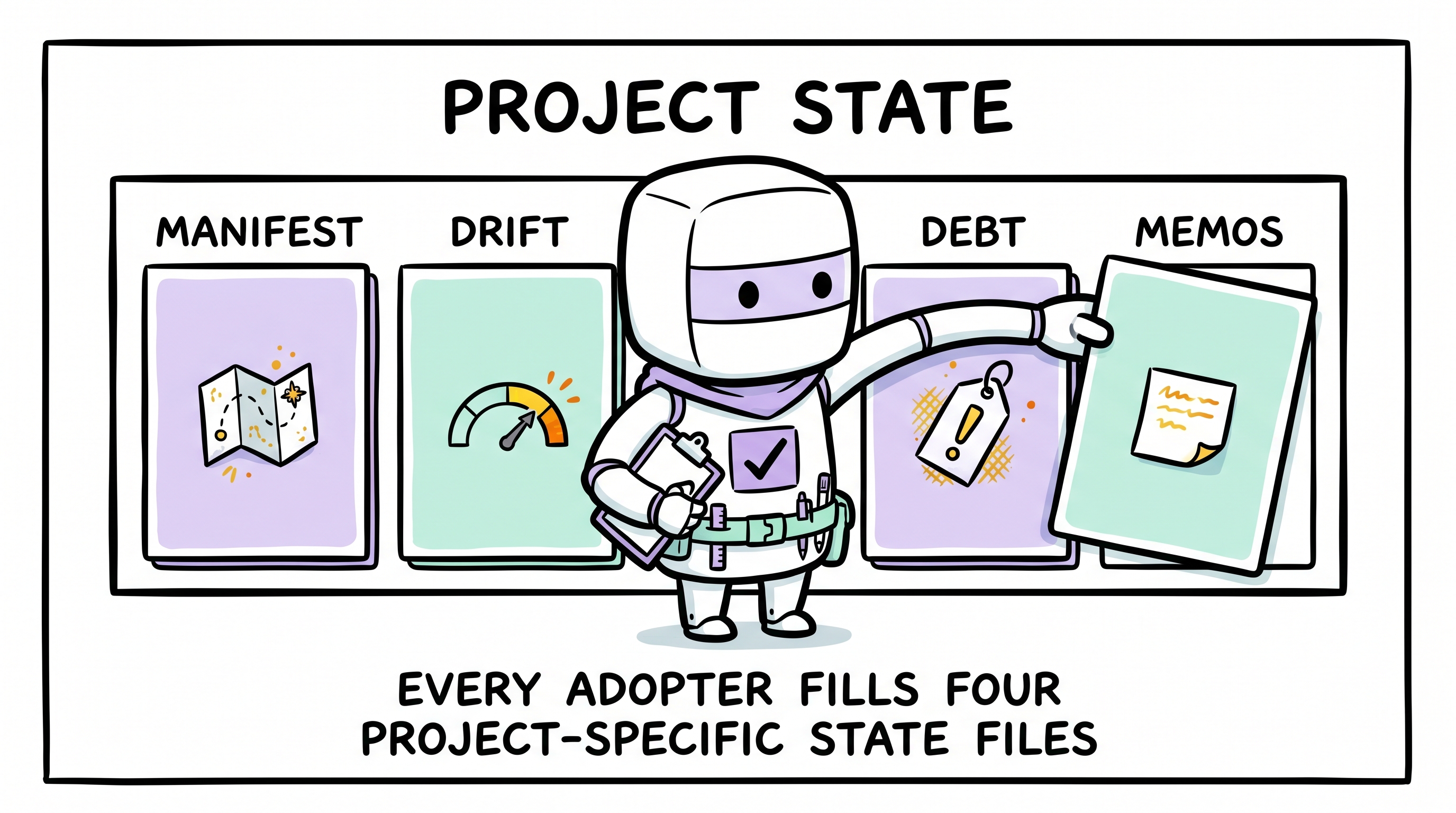
框架文件现已落盘。代理现在创建空但合法的 runtime ledgers:
| 路径 | 初始内容 |
|---|---|
.archon/manifest.md | 项目 hot-context 模板(你下一步填) |
.archon/drift.md | 空 drift 日志(第 9 步加一行) |
.archon/debt.md | 空 debt 登记 |
.archon/memos.md | 空 memo 热索引 |
.archon/signs.md | 空 signs 表 |
.archon/decisions.md | 占位 ADR-1 |
.archon/drift/records/ | 仅 .gitkeep |
.archon/debt/items/ | 仅 .gitkeep |
.archon/memos/records/ | 仅 .gitkeep |
.archon/VERSION | manifest 版本(如 0.1.0) |
这些路径列在 manifest 的 runtime_ledger_paths 下,未来 update 永不触碰。
8. 装 IDE 绑定面
把 <binding-root>/commands/、<binding-root>/agents/、<binding-root>/rules/、<binding-root>/skills/archon-*/ 原样写入。
<binding-root> 在第 0 步检测(检测不到就问):
| IDE | 绑定根 |
|---|---|
| Cursor | .cursor/ |
| Claude Code | .claude/ |
| OpenAI Codex CLI | .codex/(或根目录的 AGENTS.md) |
| Continue | .continue/ |
| Aider | .aider/ |
| Windsurf | .windsurf/ |
| 其他 | (默认 .cursor/,问用户) |
manifest 出厂时按 .cursor/ 下的规范路径来发。对非 Cursor 平台,写入时改写路径前缀 —— 只有目录名变,markdown 内容完全一致。
代理与你绑定目录里的任何非 Archon 文件共存 —— 永不删它们。
9. 记录 install
给 .archon/drift.md 追加一条结构化行:
- 2026-05-05 14:23 | install | v0.1.0 | agent=cursor-claude-opus | modules=core+cli | files=72 | source=aaep.site/manifest.json这是 install 协议唯一的 ledger 写入。
10. 报告摘要
打印简洁摘要:
- ✓ 写了 N 个文件,选了 M 个模块。
- → 后续:
- 打开
.archon/manifest.md,填三个必填段。 - 跑你项目的 validate 命令(如
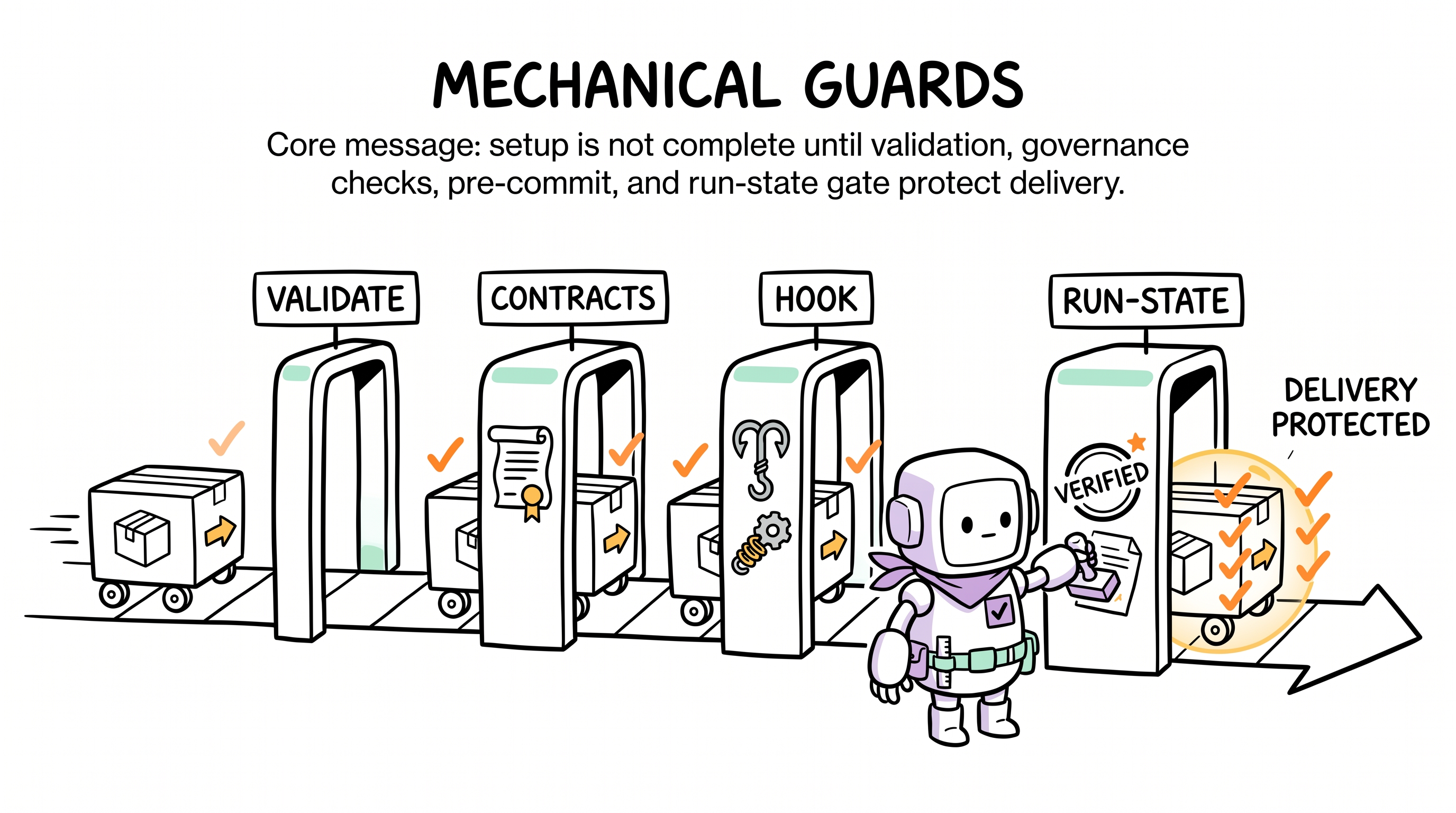
npm run validate、pytest、go test ./...、cargo test、mvn verify)确认绿。 - 接 pre-commit:从 Quickstart 第 4 步挑一种 —— Python
pre-commit框架、纯 git hook,或 husky(仅 Node 项目)。出厂的检查器是scripts/archon-check.py(仅 Python 标准库)和它的 Bash 包装器scripts/archon-check.sh。没有 Node 实现。 - 唤醒 Archon:
hi archon, run a plan for X(不再需要 URL;wake 规则会自动路由这句话)。
- 打开
代理必须执行的守护规则
- 永不写项目根之外的路径。
- 永不写 manifest 之外的路径(除了播种的 runtime ledgers 与
.gitkeep)。 - 写入前总是 sha256 校验。
- 总是保留用户已有的绑定目录内容。
- 对非 Cursor IDE,总是把
.cursor/路径前缀改写为<binding-root>/。永不在非 Cursor 项目上写.cursor/树。 - Install 是全有或全无 —— 每个文件都过校验,否则什么都不写。
CLI 等价(可选,需要 Node ≥ 18)
# 交互
npx @archon/cli@latest install ./my-project

# 全装、不问
npx @archon/cli@latest install --with=all --yes

# 预览计划,不写任何东西
npx @archon/cli@latest install --dry-run

# 私有镜像
npx @archon/cli@latest install --base-url=https://archon.mycorp.comCLI 自身需要 Node ≥ 18。如果你没装 Node,用上面描述的代理路径 —— 它产出完全相同的目录树。
每个 flag:Archon CLI 参考。
原始代理文件
代理原样拉取的指令文件: https://aaep.site/install.md
接下来
- install 完成后,进 Quickstart 第 2 步。
- 想看完整生命周期上下文,读完整生命周期。
- 想看代理消费的 manifest 的 schema 细节,看规范 Manifest。