
Install & Boot
Everything you need to get Archon running in your project — and to keep it healthy through updates, drift checks, and (one day) clean removal.
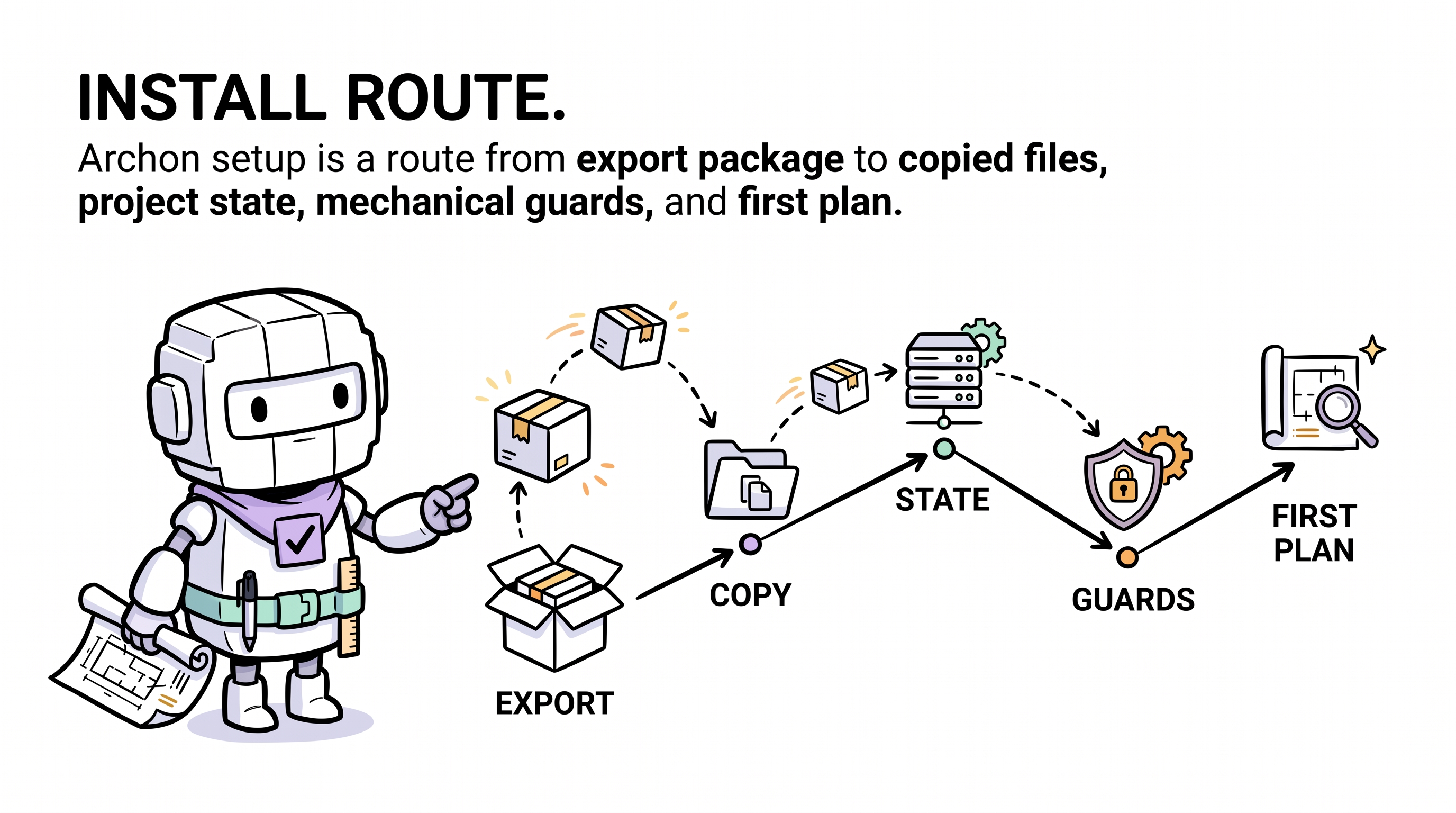
TL;DR — one sentence to your AI agent (first time)
The very first time, your local AI agent has no idea what Archon is. So your bootstrap prompt must include a URL so the agent can fetch the protocol:
read
aaep.site/skill.mdand install archon
Aliases that work the same way as a bootstrap:
read
aaep.site/init.mdand install archon · fetchaaep.site/skill.md, then install archon in this project
After install, archon-wake.mdc (or its platform equivalent — see multi-platform support below) loads on every session, so subsequent commands no longer need a URL — "hi archon, update yourself", "sync archon", "is archon healthy?" all route correctly.
The agent fetches the manifest, asks a few questions, verifies sha256 on every file, writes the framework, and seeds your runtime ledgers. Nothing happens silently — you confirm the plan first.
That's the entire happy path. The rest of this section is for "what just happened?", "how do I update?", and "how do I uninstall?".
Multi-platform agent support
Archon is platform-neutral. The framework core under .archon/ is the same regardless of which AI coding IDE you use; only the binding directory (rules / agents / commands / skills) differs. Any coding agent with web-fetch
- file-write tools can run the install protocol — the agent reads
aaep.site/skill.md§3, detects your platform, and writes bindings to the right place.
| IDE / Agent | Binding root | Bootstrap prompt |
|---|---|---|
| Cursor | .cursor/ | read aaep.site/skill.md and install archon |
| Claude Code | .claude/ | read aaep.site/skill.md and install archon |
| OpenAI Codex CLI | .codex/ (or root AGENTS.md) | read aaep.site/skill.md and install archon |
| Continue | .continue/ | read aaep.site/skill.md and install archon |
| Aider | .aider/ | read aaep.site/skill.md and install archon |
| Windsurf | .windsurf/ | read aaep.site/skill.md and install archon |
| Other (raw API client, custom harness, etc.) | (defaults to .cursor/, ask agent to confirm) | fetch aaep.site/skill.md and follow §3 to detect my IDE |
Same prompt for everyone — the protocol does the platform detection. Per-IDE walkthroughs with the exact "open the chat panel and paste this" steps live in 5-Minute Quickstart.
Three routes, same destination
Pick whichever fits your situation. All three consume the exact same canonical manifest at aaep.site/manifest.json and produce an identical project tree.
| Route | Time | When to use | Runtime needed |
|---|---|---|---|
| Agent-first (recommended) | 3 min | You have a frontier coding agent (any of the platforms above) with web-fetch + write tools. The agent does everything conversationally. | None — your agent platform handles the fetch + write |
| CLI | 2 min | You're in CI, a script, or you don't have an agent open. Same manifest, same checksums, no conversation. | Node ≥ 18 (CLI is JS-based) |
| Manual | 30 min | You want to understand every file before it lands. Read Full Setup Guide. | None |
# Agent-first: just talk to your agent (the agent runs the protocol from
# aaep.site/skill.md — no shell command needed).

# CLI (only if you have Node ≥ 18):
npx @archon/cli@latest install ./my-project
npx @archon/cli@latest install --with=all --yes

# Manual: read /setup/full-guide and follow it page-by-page.Archon itself does not require Node.js. The framework core is plain markdown + a Python contract checker (
scripts/archon-check.py, stdlib-only). Node is only needed if you opt into the CLI or dashboard modules, both of which are optional. See project language impact below.
The complete journey
Installing is just step one. Archon is a long-running discipline; here is the full lifecycle every adopter project goes through:
| Stage | First-time prompt (URL required) | After-install prompt (URL optional) | Page |
|---|---|---|---|
| Install | read aaep.site/skill.md and install archon | — | /setup/install |
| Boot (first delivery) | (covered by install) | hi archon, plan a feature for X | /setup/quickstart |
| Daily cognitive loop | — | hi archon, demand: <one-liner> | Concepts: 10-Minute Overview |
| Update | — | hi archon, update yourself | /setup/update |
| Sync | — | is archon healthy? · sync archon | /setup/sync |
| Uninstall | — | uninstall archon · remove archon | /setup/uninstall |
For the full step-by-step end-to-end story, read Complete Lifecycle.
What you'll have after install
your-project/
├── .archon/                      ← framework core + runtime ledgers
│   ├── soul.md                   ← who the agent is (do not edit)
│   ├── manifest.md               ← *your* project hot-context (you edit this)
│   ├── drift.md  debt.md  …      ← runtime ledgers (your governance history)
│   └── VERSION                   ← canonical version pin
├── <BINDING_ROOT>/               ← .cursor/ · .claude/ · .codex/ · …
│   ├── commands/archon-*.md      ← /archon, /archon-plan, /archon-review …
│   ├── agents/archon-*.md        ← reviewer, capture-auditor sub-agents
│   ├── rules/archon*.mdc         ← always-on rules (loaded each session)
│   └── skills/archon-*/          ← keyword/file-triggered skills
└── scripts/
    ├── archon-check.py           ← portable contract checker (Python stdlib)
    └── archon-check.sh           ← Bash wrapper (delegates to .py)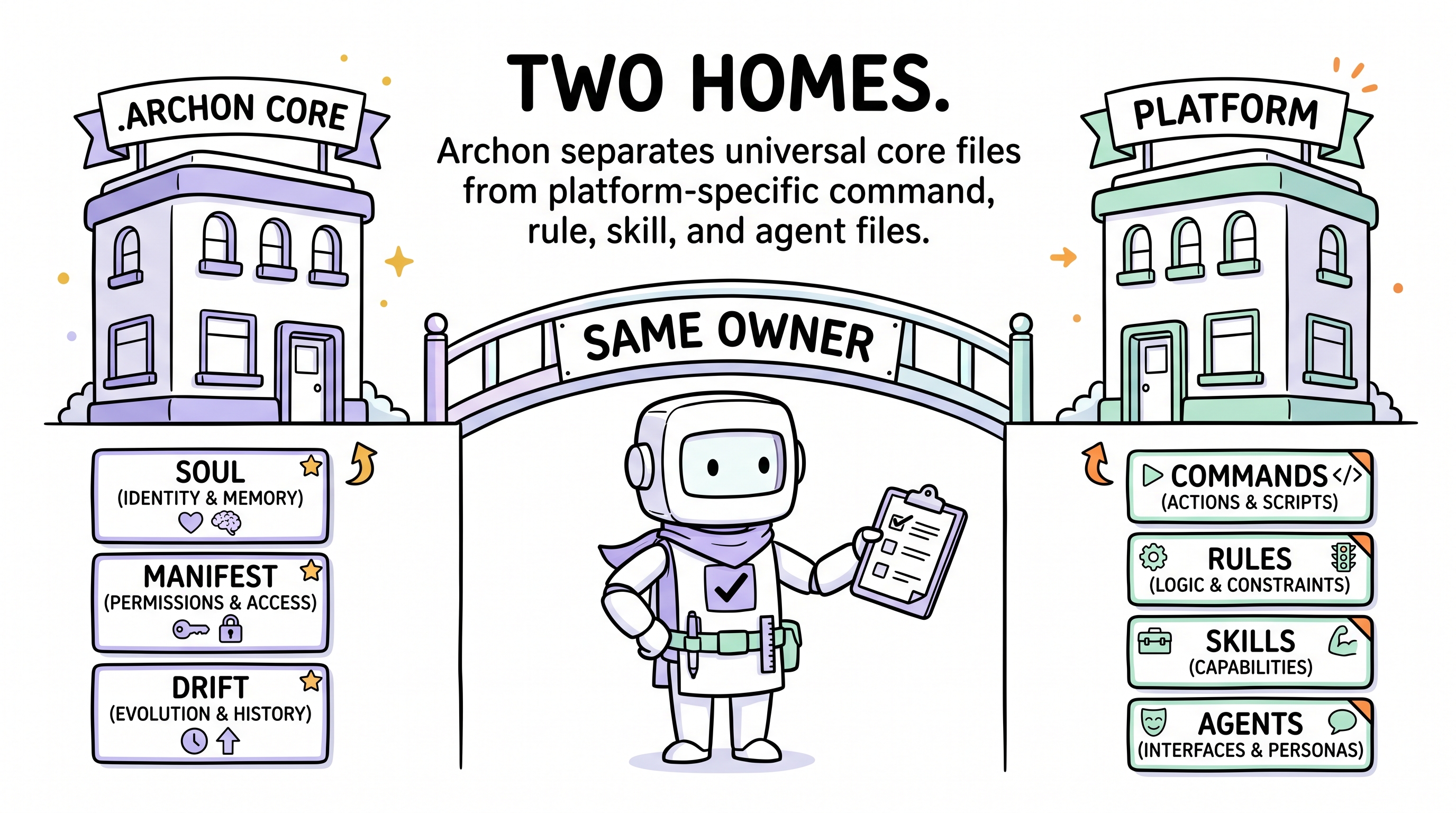
The split between framework core (read-only, owned by Archon) and project state (your own ledgers, owned by you) is the most important mental model. Updates only touch the former; your governance history is sacred and never overwritten.
Project language impact
Archon is language-agnostic. The contract checker is Python (stdlib-only, runs anywhere Python 3 runs), so a Go / Rust / Java / iOS / Android project can adopt Archon without ever touching JavaScript or TypeScript.
What changes per project:
| Concern | What Archon adapts |
|---|---|
| Pre-commit hook | The agent picks python3 scripts/archon-check.py, sh scripts/archon-check.sh, or py -3 scripts\archon-check.py (Windows) — based on your dev environment, not your project's primary language. |
| Test surface | Archon's governance contract enforces structure — governance-contract.yaml consumed by archon-check.py. Your project tests stay in your project's native test framework (pytest, go test, jest, JUnit, XCTest, …). Archon doesn't impose a test framework. |
validate command | You define what "validate" means for your project — npm run validate, make validate, cargo test, pytest, mvn verify, etc. Archon just requires that some validate command exists and is wired into the cognitive loop. |
| Optional CLI | Skip if you have no Node ≥ 18. The agent path covers everything the CLI does. |
Mechanical guards out of the box
After install, Archon enforces governance through three mechanical layers:
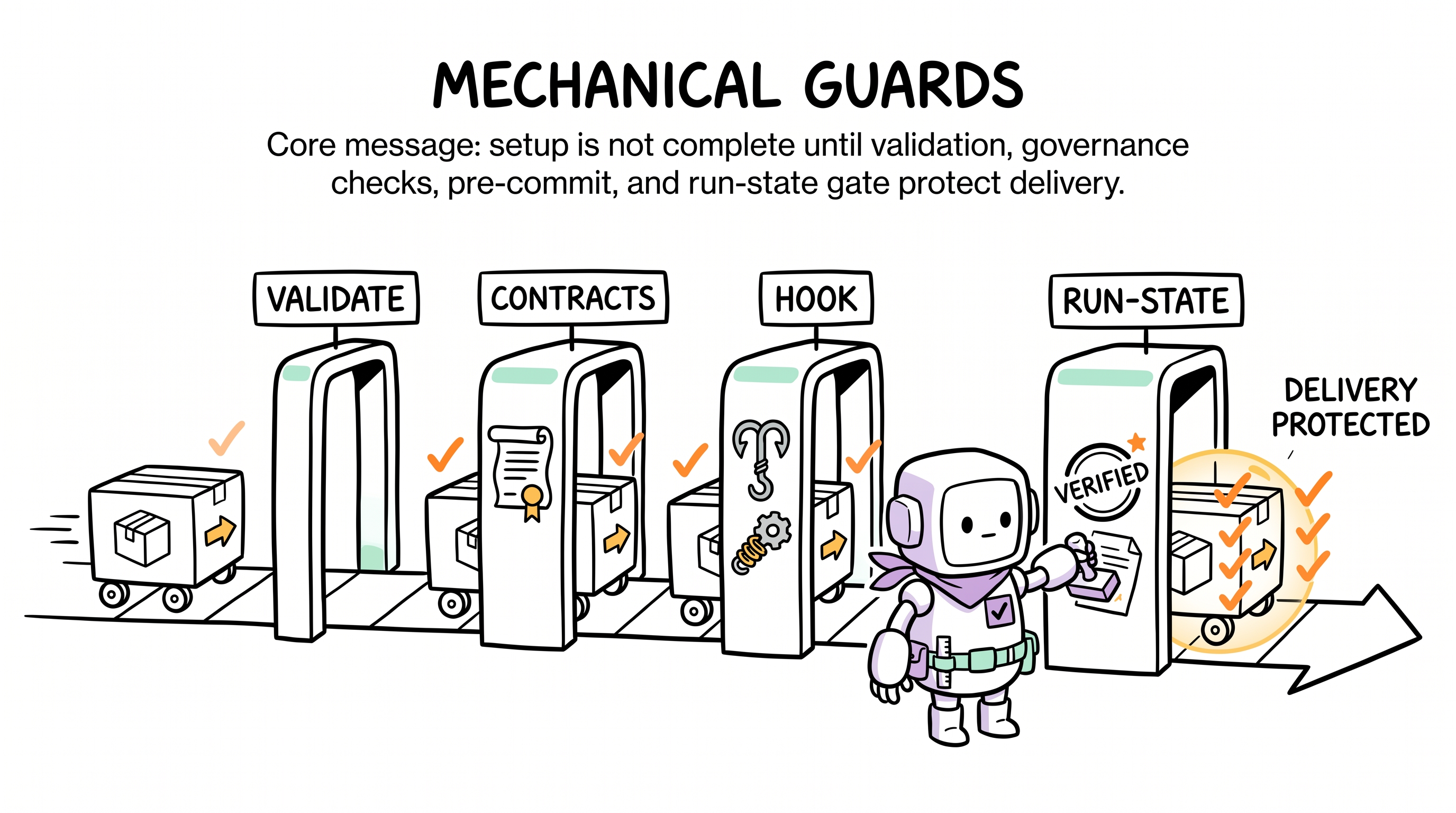
- Pre-commit hook —
scripts/archon-check.py(or its.shwrapper) blocks commits that skip Decision Gate or Close-Out. The agent wires this with the appropriate hook command for your dev environment in Install Step 8. - Validate gate — every delivery must pass your project's own
validatecommand (lint + typecheck + test in your project's stack). - Sub-agent review — capture-auditor and reviewer cross-check every delivery before Close-Out.
Verify after install
After install, the agent's first action on its next session is to wake up and run a self-check:
is archon healthy?·sync archon
Or, with the optional CLI:
npx @archon/cli@latest doctor # requires Node ≥ 18Three audit layers report green / yellow / red:
- L1 Structural — required files present.
- L2 Contract —
scripts/archon-check.pypasses. - L3 Hints — placeholders filled, validate command wired.
- L4 Canonical diff — local files match canonical sha256 (added by
sync).
Green across all four means you are clear to start writing demands.
Next
- New here? Run the 5-Minute Quickstart.
- Want the whole picture first? Read Complete Lifecycle.
- Already installed and curious about a specific operation? Pick a lifecycle command from the sidebar (Install / Update / Sync / Uninstall).