
5-Minute Quickstart
Shortest path from "I have a project" to "Archon is running in it." For the long-form reference, read Full Setup Guide; for the end-to-end story across the entire adopter lifecycle, read Complete Lifecycle.
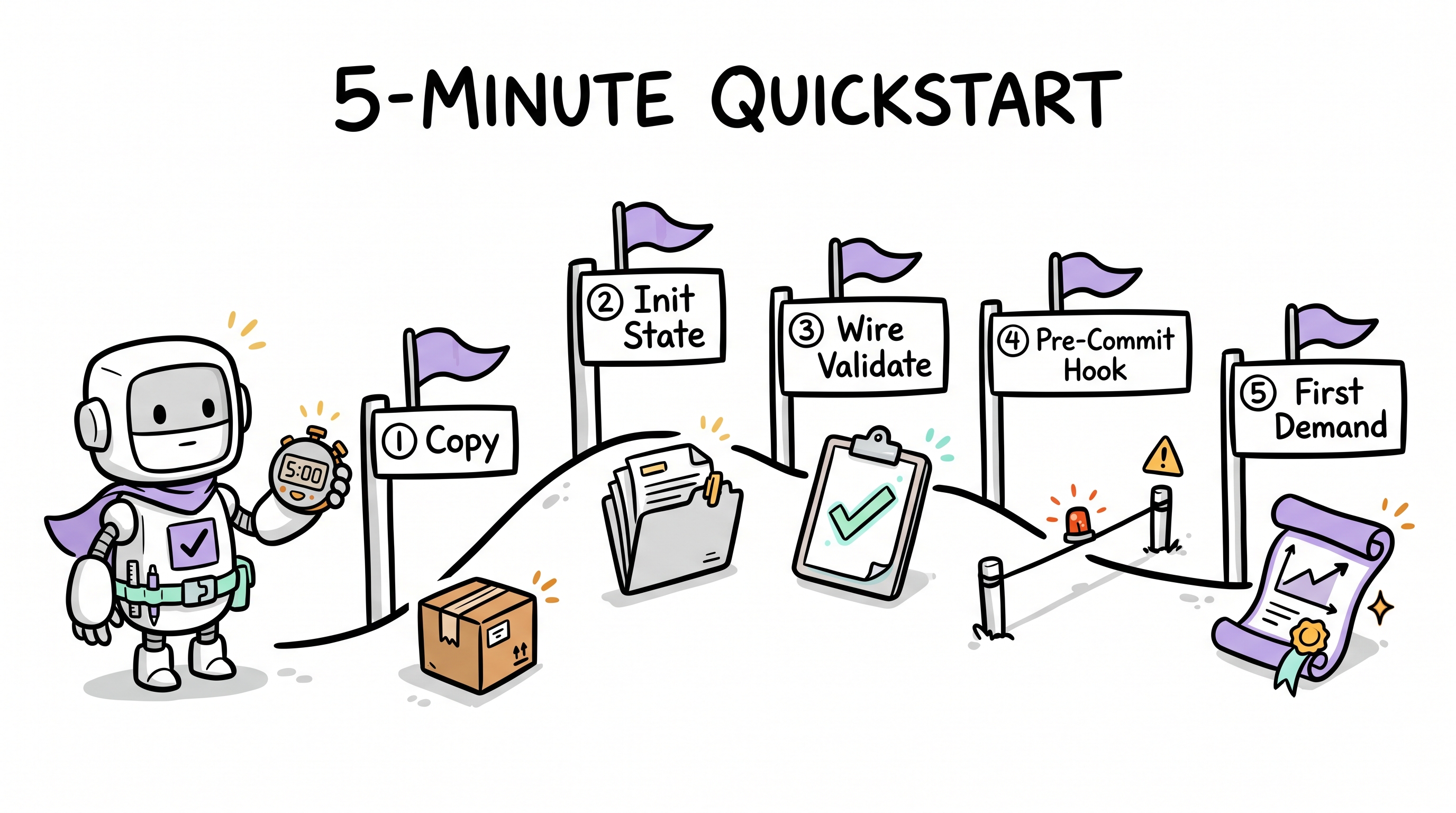
Before you start, make sure you have:
- Any AI pair-programming agent — see supported platforms below.
- A git-tracked project (clean working tree).
- Python 3 (for the portable governance check
scripts/archon-check.py). Optional: Node ≥ 18 only if you want the optional CLI / dashboard modules. - ~10 minutes. The first 3 are the install. The next 7 are wiring + a real demand.
Step 1 — Install Archon (~3 min)
You have two equivalent paths. Pick A unless you're in CI.
Path A — Just talk to your agent (preferred)
The very first time, the local agent has no idea what Archon is, so the prompt must include a URL. After install, archon-wake.mdc (or its platform equivalent) loads automatically and subsequent prompts no longer need a URL.
The exact one-liner depends on your IDE — but the prompt itself is identical across all platforms; only the chat-panel location changes:
If you use Cursor
- Open the project in Cursor.
- Press
Ctrl+L(orCmd+L) to open the chat panel. - Paste this and send:
read aaep.site/skill.md and install archonArchon's bindings will land in .cursor/.
If you use Claude Code
- Open the project in your terminal.
- Run
claudeto start a Claude Code session. - Paste this and send:
read aaep.site/skill.md and install archonArchon's bindings will land in .claude/ and CLAUDE.md will reference the loaded rules.
If you use OpenAI Codex CLI
- Open the project in your terminal.
- Run
codexto start a Codex session. - Paste this and send:
read aaep.site/skill.md and install archonArchon's bindings will land in .codex/ (or merge into your existing AGENTS.md).
If you use Continue
- Open the project in VS Code (or JetBrains) with Continue installed.
- Open the Continue chat panel.
- Paste this and send:
read aaep.site/skill.md and install archonArchon's bindings will land in .continue/.
If you use Aider
- From the project root, run:
aider --message "read aaep.site/skill.md and install archon"Archon's bindings will land in .aider/.
If you use Windsurf
- Open the project in Windsurf.
- Open the Cascade chat panel.
- Paste this and send:
read aaep.site/skill.md and install archonArchon's bindings will land in .windsurf/.
If you use any other coding agent
If your agent platform supports web-fetch + file-write tools, the same prompt works:
fetch aaep.site/skill.md and follow it to install archon in this project; if
you cannot infer my IDE platform, ask me which binding directory to useThe agent reads skill.md §3, asks for any platform info it can't detect, and writes bindings accordingly.
What the agent does, in order
Regardless of platform, the agent's protocol is identical:
- Fetch
aaep.site/skill.mdand route to install. - Fetch
aaep.site/manifest.json— the canonical file ledger (sha256 per file, module list, placeholders). - Detect your IDE platform and binding directory (per
skill.md§3). - Inspect your project —
package.json/pyproject.toml/go.mod, README, existing binding directory. - Ask 3-4 questions — project name, tech stack, optional modules (CLI / dashboard / demand-pool), then show the plan.
- Fetch every required file in parallel — sha256-verify each one against the manifest before writing. Mid-download corruption is impossible.
- Substitute placeholders —
,, etc., filled with your answers. - Write the tree —
.archon/+<binding-root>/+scripts/. Path prefixes auto-rewrite from.cursor/to<binding-root>/for non-Cursor platforms. - Seed empty runtime ledgers —
drift.md,debt.md,memos.md, etc. - Log the install — append a record to
.archon/drift.md. - Report — concise summary + next steps.
The agent never writes a partial install. Either every file verifies and the whole tree lands, or nothing is written.
Path B — CLI (scripted, no conversation)
The CLI is optional and requires Node ≥ 18. Skip if your project is non-Node and you don't want a Node toolchain.
# interactive: install into the current directory
npx @archon/cli@latest install

# non-interactive: install all modules including optional ones
npx @archon/cli@latest install ./my-project --with=all --yes

# preview-only: show the plan, don't write anything
npx @archon/cli@latest install --dry-runThe CLI consumes the same manifest as the agent and produces the same tree. Use whichever fits your environment.
Hosting a private mirror? Override the base URL with
--base-url=or theARCHON_BASE_URLenvironment variable. The manifest's per-file URLs will rewrite to your mirror.
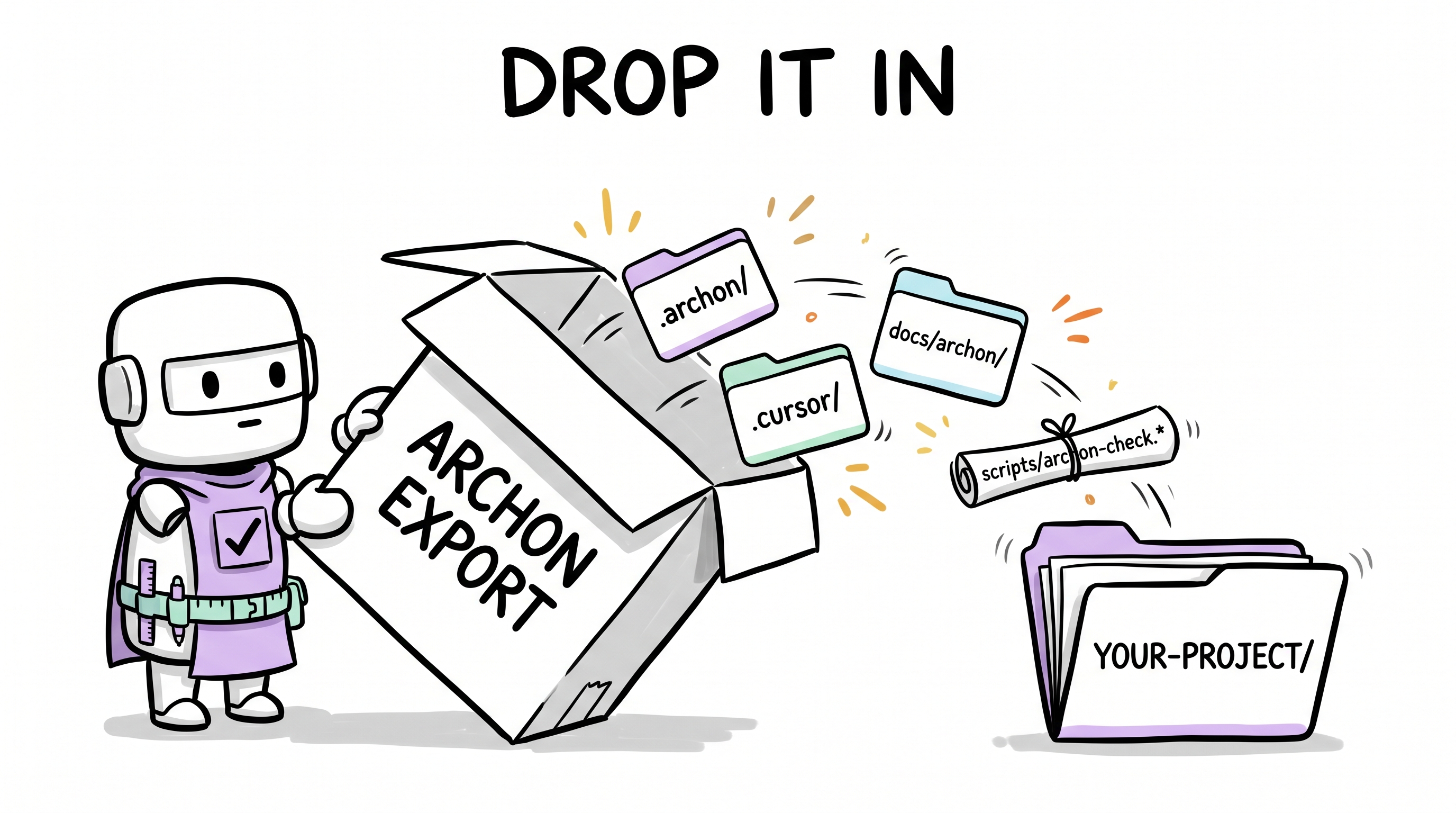
After this step, your repo gains:
.archon/ <binding-root>/ scripts/(<binding-root> is .cursor/ for Cursor, .claude/ for Claude Code, and so on — see the platform table above.)
Step 2 — Fill in your project manifest (~90 s)
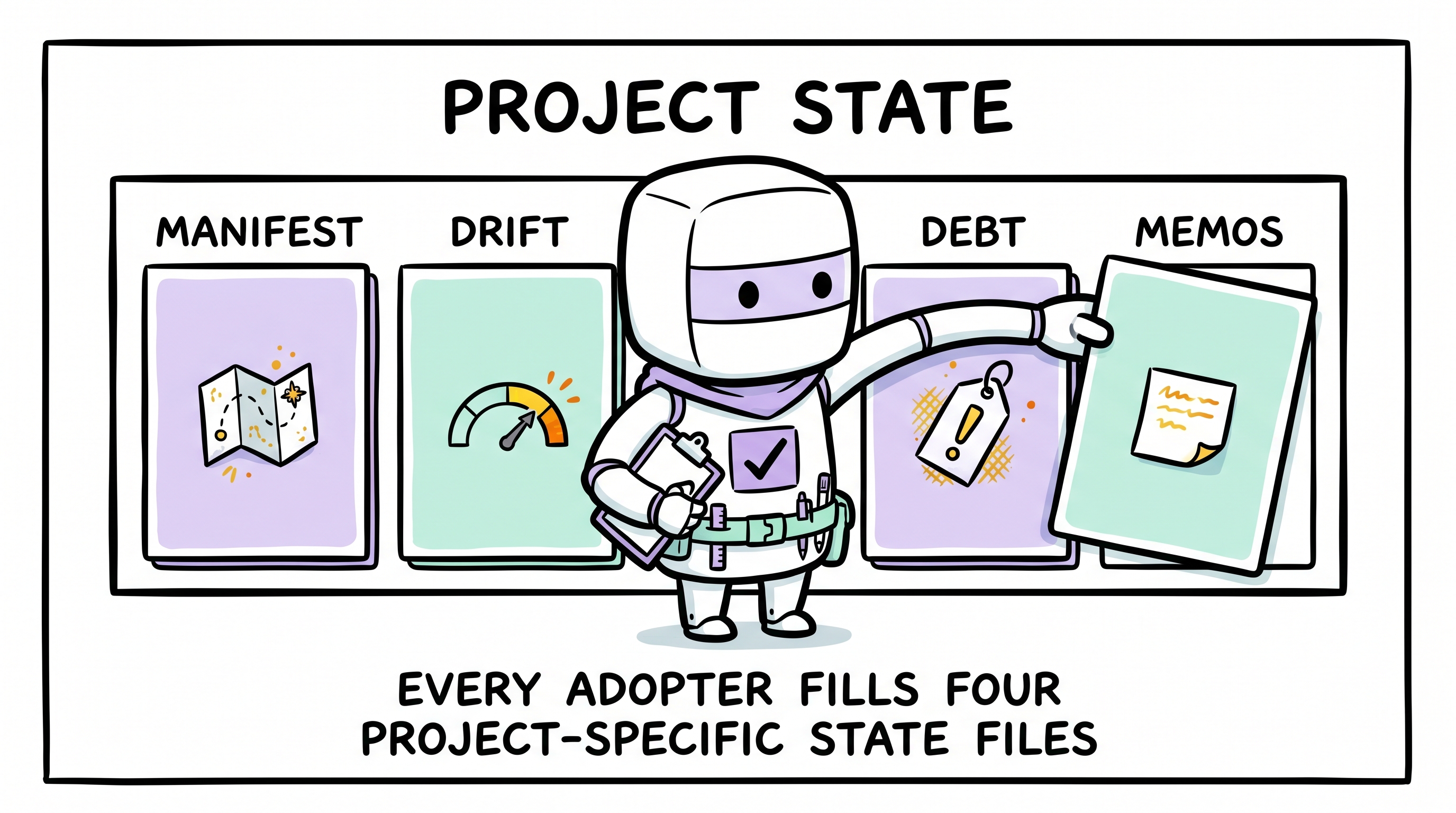
The install seeded an empty .archon/manifest.md. Open it and fill at minimum:
- §Platform path mappings — confirm which IDE binding folder this project uses (the agent already wrote it; just verify it matches reality).
- §Tech Stack — your language / framework / package manager.
- §Validation Command — the single command that runs lint + typecheck
- test. This is what Archon's validate gate will invoke at every Close-Out. Examples:
npm run validate(Node),pytest(Python),go test ./...(Go),cargo test(Rust),mvn verify(Java/JVM),swift test(Swift),make validate(anything).
- test. This is what Archon's validate gate will invoke at every Close-Out. Examples:
Leave everything else blank for now. Archon grows these as you use it.
Tip: after editing, ask your agent "is archon healthy?" — Archon's L3 hints layer flags any unfilled placeholders.
Step 3 — Wire the validate command (~60 s)
The validate gate is useless if it can't be invoked. Run your command from a clean shell and confirm it passes — use whatever your project's stack provides:
# Node
npm run validate

# Python
pytest

# Go
go test ./...

# Rust
cargo test

# Java / JVM
mvn verify

# Anything (e.g. Make-based projects)
make validateIf your project doesn't yet have a single composite command, add one. For Node:
{
  "scripts": {
    "validate": "npm run lint && npm run typecheck && npm run test"
  }
}For other stacks, add a Makefile target, a pyproject.toml script, etc.
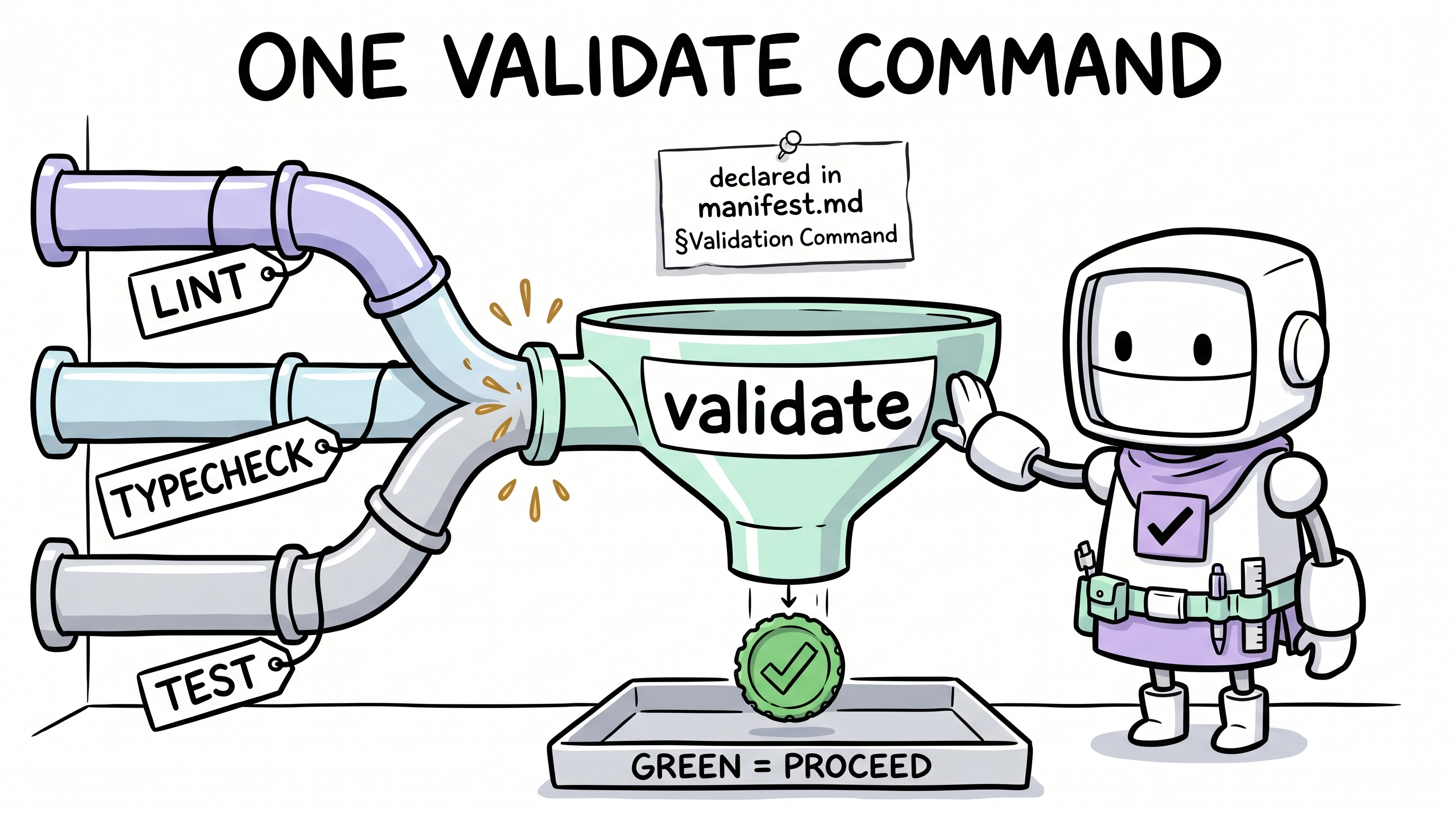
If it's red, fix the pre-existing errors first. Archon refuses to Close-Out on a red validate gate.
Step 4 — Pre-commit hook (~60 s)
Archon's portable pre-commit check (scripts/archon-check.py) blocks commits that skip Decision Gate or Close-Out. The shipped checker is Python (stdlib-only) — no Node required. Pick the wiring that fits your project's existing pre-commit infrastructure:
Option 1 — Python pre-commit framework (recommended for Python projects)
If your project already uses pre-commit, add a local hook to .pre-commit-config.yaml:
repos:
  - repo: local
    hooks:
      - id: archon-check
        name: archon-check
        entry: python3 scripts/archon-check.py --root .
        language: system
        pass_filenames: false
stages: [pre-commit]Then pre-commit install.
Option 2 — Plain git hook (works for any project)
mkdir -p .git/hooks
cat > .git/hooks/pre-commit << 'EOF'
#!/bin/sh
exec python3 scripts/archon-check.py --root .
EOF
chmod +x .git/hooks/pre-commitOn Windows (Git Bash works the same; for native PowerShell, use):
@'
@echo off
py -3 scripts\archon-check.py --root .
'@ | Out-File -Encoding ascii .git\hooks\pre-commit.cmdOption 3 — husky (only if you already use it on a Node project)
npx husky install
echo 'sh scripts/archon-check.sh .' > .husky/pre-commit
chmod +x .husky/pre-commitDo not add husky to a non-Node project just to install this hook — options 1 and 2 are lighter and avoid a Node dependency.
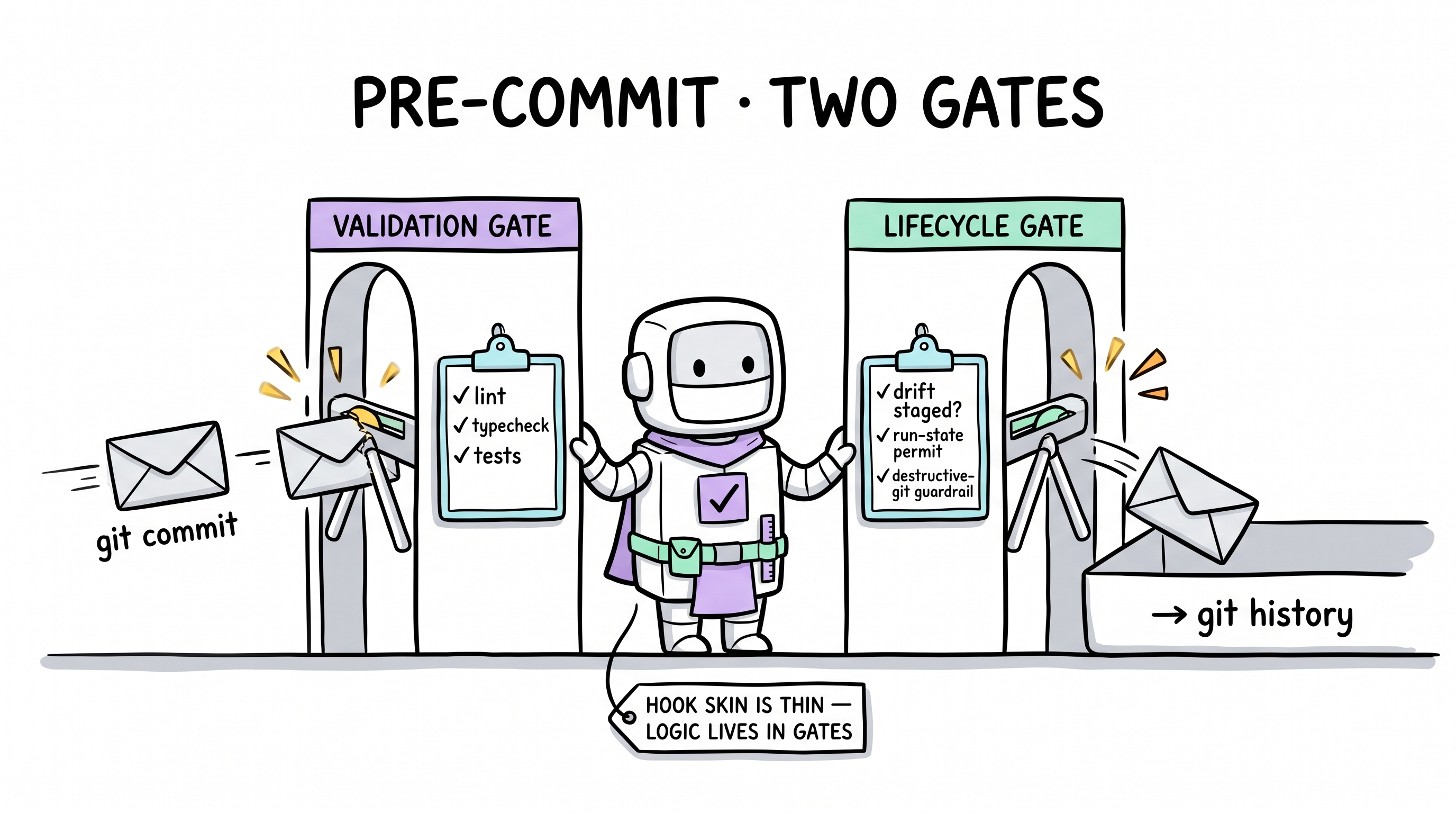
Verify with git commit --dry-run — the hook fires and reports pass / fail.
Step 5 — Wake Archon and run your first demand (~2 min)
Reload your IDE chat pane (so the new bindings load) and say:
hi archon, run a plan for adding a health-check endpointNo URL needed this time —
archon-wake.mdc(or its platform equivalent) is now loaded into your agent's context on every session, so the wake phrase routes correctly without bootstrap fetch.
Archon will:
- Load
soul.md+manifest.md, scan memos for relevant vetoes. - Run the Decision Gate — probes Radius (blast radius), Soul-headroom (cognitive budget), Modularity (right-size). Verdict on should it / how big / who decides.
- Ask clarifying questions only if the gate cannot resolve automatically.
- Once you approve the plan, execute → run validate → reach Close-Out with a mirror-check on governance docs.
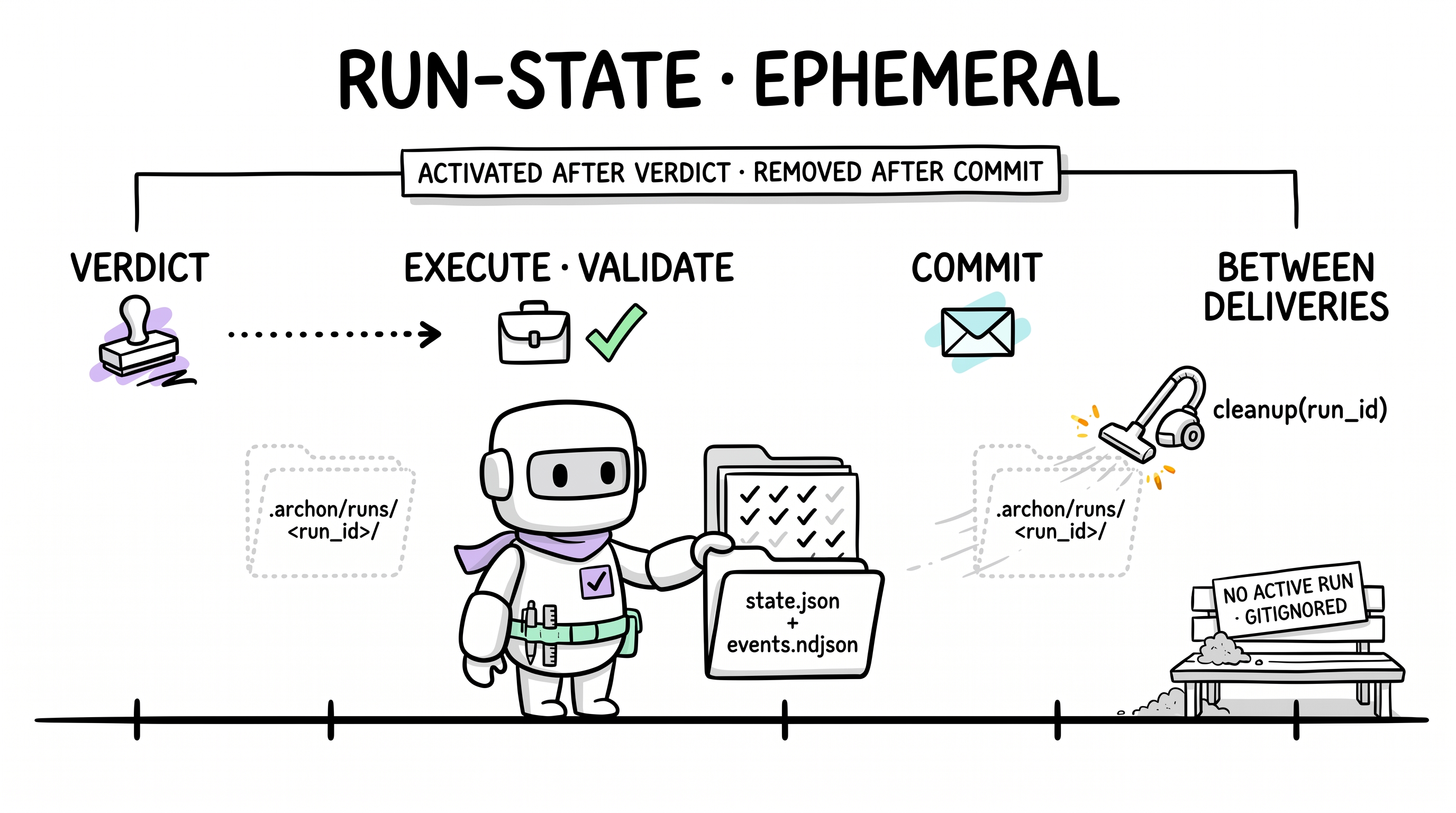
This first demand cycle is your "Boot" — read more about every stage in Complete Lifecycle.
You're done
At this point you have:
.archon/with live state files and portable framework core.- IDE bindings in
<binding-root>/(.cursor//.claude//.codex//.continue//.aider//.windsurf/). - A validate command Archon's gate will invoke.
- A Python-based pre-commit hook blocking skipped governance.
- At least one delivery recorded in
drift.md.
Common next steps
| Intent | Page |
|---|---|
| Understand what just happened | 10-Minute Overview |
| See the whole adopter lifecycle | Complete Lifecycle |
| Dig into the architecture | Architecture Reference |
| Learn the 16 AI-coding pitfalls Archon solves | User Journeys |
| Ship a domain lens | Full Setup §Optional Enhancements |
| Eventually update / sync / uninstall | Lifecycle Commands |
Troubleshooting
| Symptom | Likely cause | Fix |
|---|---|---|
| Agent says "I don't have web fetch" | Your IDE doesn't have URL-fetch tools enabled | Use Path B (CLI) instead, if you have Node ≥ 18 |
Agent installs to .cursor/ even though I'm on Claude Code | Agent skipped IDE detection | Re-run with explicit instruction: "install archon; my IDE is Claude Code so use .claude/" |
| Archon doesn't wake on "hi archon" | IDE's rules/skills weren't installed | Re-run install; verify <binding-root>/rules/archon-wake.mdc exists |
| Decision Gate complains about manifest | .archon/manifest.md blank | Fill in the three required sections (Step 2) |
| Pre-commit hook never fires | Hook not installed or not executable | See Step 4 — pick the right option for your project's existing pre-commit infra |
archon-check.py: command not found | Python 3 not on PATH | Install Python 3 (stdlib-only — no pip install needed); on Windows use the py launcher |
| Validate always red | Pre-existing lint/type/test errors | Fix them first; Archon won't Close-Out on red |
| Install reports sha256 mismatch | Network corruption or stale CDN cache | Re-run install; if it persists, file an issue with the manifest URL and offending file |